Woodpecker Review (2026): Hands-On With the 14-Day Trial
Our verdict: 3.4/5 — Woodpecker is the no-drama cold email tool. Signup took minutes with no credit card, the trial is genuinely generous (14 days or 100 cold emails, whichever comes first), and the campaign builder is clean and capable. But the trial also surfaced the catches: every integration sits behind a $20/month add-on, and warmup — the feature Woodpecker brags about — wasn't actually switched on for our mailbox until we added it ourselves.
Best for: small teams and solo senders who want reliable cold email without learning a platform. Skip if: you need native CRM integrations without paying extra, or you're running high-volume, multi-mailbox outbound — that's Smartlead's game, and we tested both on the same day.
Tested September 26, 2026 · 14-day free trial, no credit card · Last updated September 26, 2026
Woodpecker has been sending cold email since 2015, which makes it the veteran of this category. Its pitch is the opposite of feature bloat: straightforward cold email with deliverability guardrails — warm-up, bounce protection, sensible sending limits — and nothing that takes a week to configure before it works.
We put that to the test. On September 26, 2026, we opened a trial, connected a real test mailbox over Microsoft OAuth, and built a two-step draft campaign the way a small team would evaluate it. Fourteen days, no credit card, and we wrote down everything — including the two places the trial made us stop and ask questions.
Update (Sept 2026): We've since run Woodpecker's 14-day trial hands-on — read the full Woodpecker review — and published a Smartlead vs Woodpecker head-to-head.
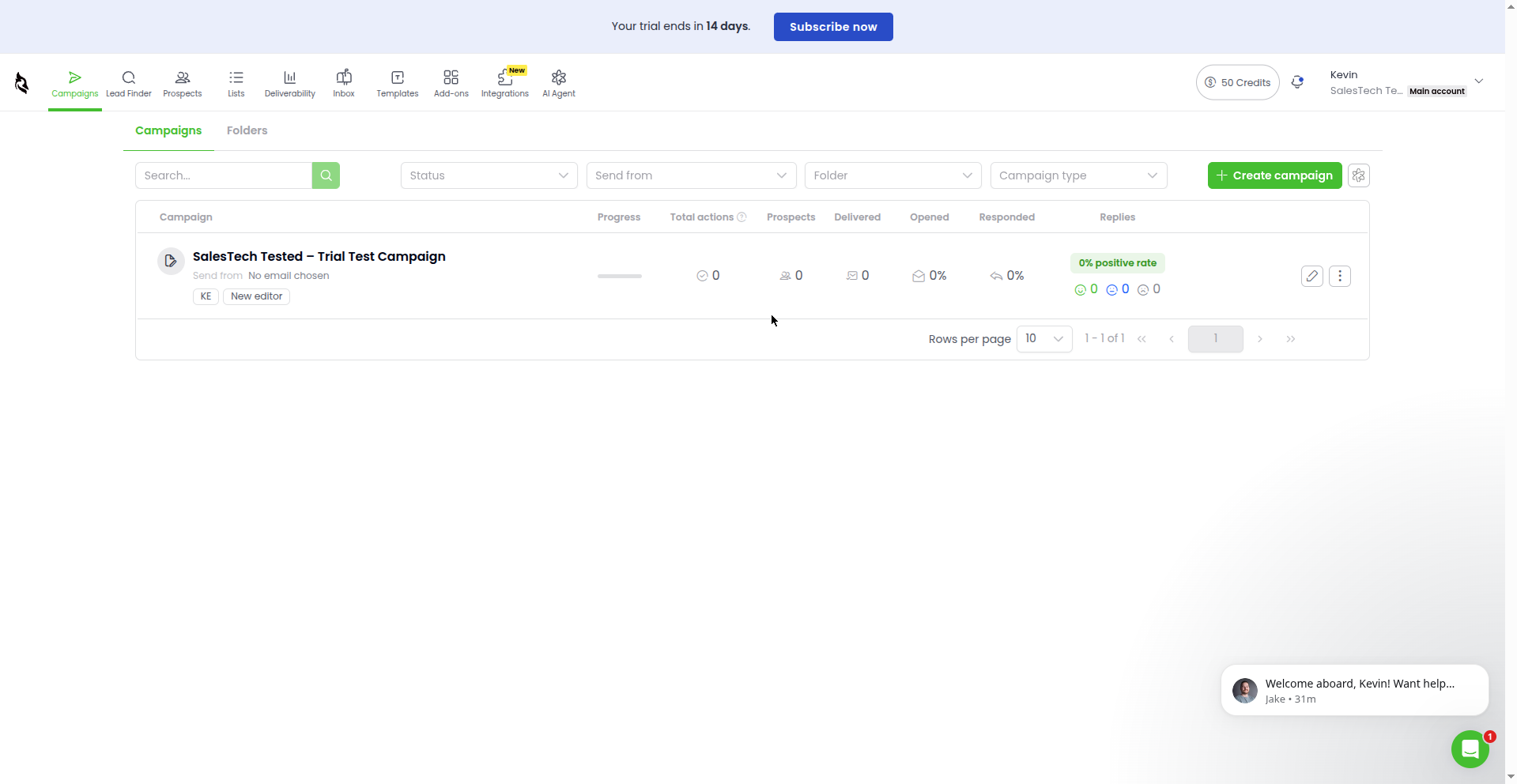
How we tested. Signed up September 26, 2026 at woodpecker.co with an address on our own domain. Confirmed the account through the verification email. Connected a dedicated test Outlook mailbox (salestechtested@outlook.com) via Microsoft OAuth. Built a draft campaign ("SalesTech Tested – Trial Test Campaign") with two email steps and an A/B variant. Walked through warmup settings, the inbox, analytics, the integrations directory, and pricing.
What we couldn't verify. We never sent an email — nothing was launched; our campaign stayed a draft. Warmup needs a warmed mailbox and weeks of runway, so we verified the controls, not the results. We didn't test lead import (CSV or otherwise), and we didn't generate copy with the AI text tool — we only confirmed it exists in the editor. Every rating below says whether it's based on something we used or only inspected.
Feature Summary
| Feature | What we found |
|---|---|
| Free trial | 14 days or 100 cold emails (whichever comes first), no credit card. Trial includes 8,000 emails/month, 100 Lead Finder credits, 2 warm-ups, unlimited email accounts and team members |
| Signup | Email + password; 5-question onboarding survey; account confirmation email required to unlock the full app |
| Mailbox connection | Google/Gmail and Microsoft/Outlook OAuth, or manual SMTP/IMAP; our Outlook mailbox connected after Microsoft's own verification step |
| Campaign builder | Flow-based sequence canvas; per-step email editor with A/B variants, spin syntax, snippets, templates, spam-words checker, per-email open tracking, AI text generation |
| Warmup | Available as an add-on — the add-on page says it's "always active by default and cannot be removed," but our connected mailbox needed a manual "Add warm-up" click |
| Sending guardrails | Per-mailbox defaults: max 50 emails/day at random times, 140–320 sec between sends (up to 15/hour), send-volume monitoring toggle |
| Inbox | Unified inbox with reply buckets (Interested, Maybe later, Not interested…) — empty without sent campaigns |
| Analytics | Campaign stats columns (delivered, opened, responded, positive rate) plus a Deliverability Monitor hub |
| Integrations | Pipedrive, HubSpot, Google Sheets, Clay, Calendly, Zoho CRM, Lusha, Salesforce — all require the $20/month "API & Integrations" add-on (free during trial) |
| Pricing | Base plan: 500 contacted prospects for $35/month ($7.00 per 100 prospects) |
Our Ratings
We rate every cold email tool we test on the same 7 criteria, 1 to 5 stars each. Stars reflect what we actually used or inspected during the trial — not marketing claims.
| Criteria | Rating | Why |
|---|---|---|
| Ease of setup & onboarding | ★★★★☆ (4/5) | Signup to working app in minutes, no card, no domain rejection at the door. Docked one star: a 5-question onboarding survey stands between you and the app, and several areas (Lead Finder, AI Agent) stay locked behind the account-confirmation email. |
| Campaign builder & sequencing | ★★★★☆ (4/5) | Clean flow canvas with a readiness checklist, A/B variants per step, spin syntax, spam-words checker, and AI text generation built into the editor. Docked one star: we didn't test lead import in our session, so the full "list to launched" path is unverified. |
| Deliverability toolkit | ★★★★☆ (4/5) | Sensible per-mailbox defaults (50/day, randomized send gaps, volume monitoring) plus warmup and bounce protection. Docked one star: the warmup story is contradictory — the add-on page says it's "always active by default and cannot be removed," but our connected mailbox needed a manual "Add warm-up" click. And like every trial, we could verify controls, not results. |
| AI & personalization | ★★★☆☆ (3/5) | AI text generation lives in the email editor and doesn't demand your own API key (better than Smartlead's bring-your-own-key approach). But we didn't generate copy with it, so this rating is for availability, not quality. |
| Inbox & reply management | ★★★☆☆ (3/5) | Well-organized unified inbox with useful reply buckets. With zero sent campaigns in a trial, reply handling itself is untested — UI-only rating. |
| Integrations & API | ★★☆☆☆ (2/5) | The directory looks right (HubSpot, Pipedrive, Clay, Salesforce…), but every single tile requires the $20/month "API & Integrations" add-on. For a tool that courts teams with existing stacks, that's a real tax. |
| Value for money | ★★★★☆ (4/5) | $35/month entry for 500 prospects is the cheapest starting point we've tested, and the trial is genuinely full-featured with no card. Full value judgment needs a live send. |
Overall: 3.4/5 — the simplest honest way into cold email we've tested, with a real integration tax if you need it wired into your stack.
Test Log: September 26, 2026
Everything below happened in one testing session, in order. This is the unedited version — what worked, what annoyed us, and where we had to stop and think.
- Trial signup. Email, name, company, password, an invisible reCAPTCHA check, then a 5-question onboarding survey (we dismissed it and the app let us through). The signup page promised "14 days or 100 cold emails, whichever limit you reach first" — better than the 7-day trial we'd read about beforehand. No credit card, no surprise-charge risk. One friction point: parts of the app (Lead Finder, AI Agent) stayed behind an "Activate your account" modal until we confirmed via the verification email. Until then, you're in a walled garden.
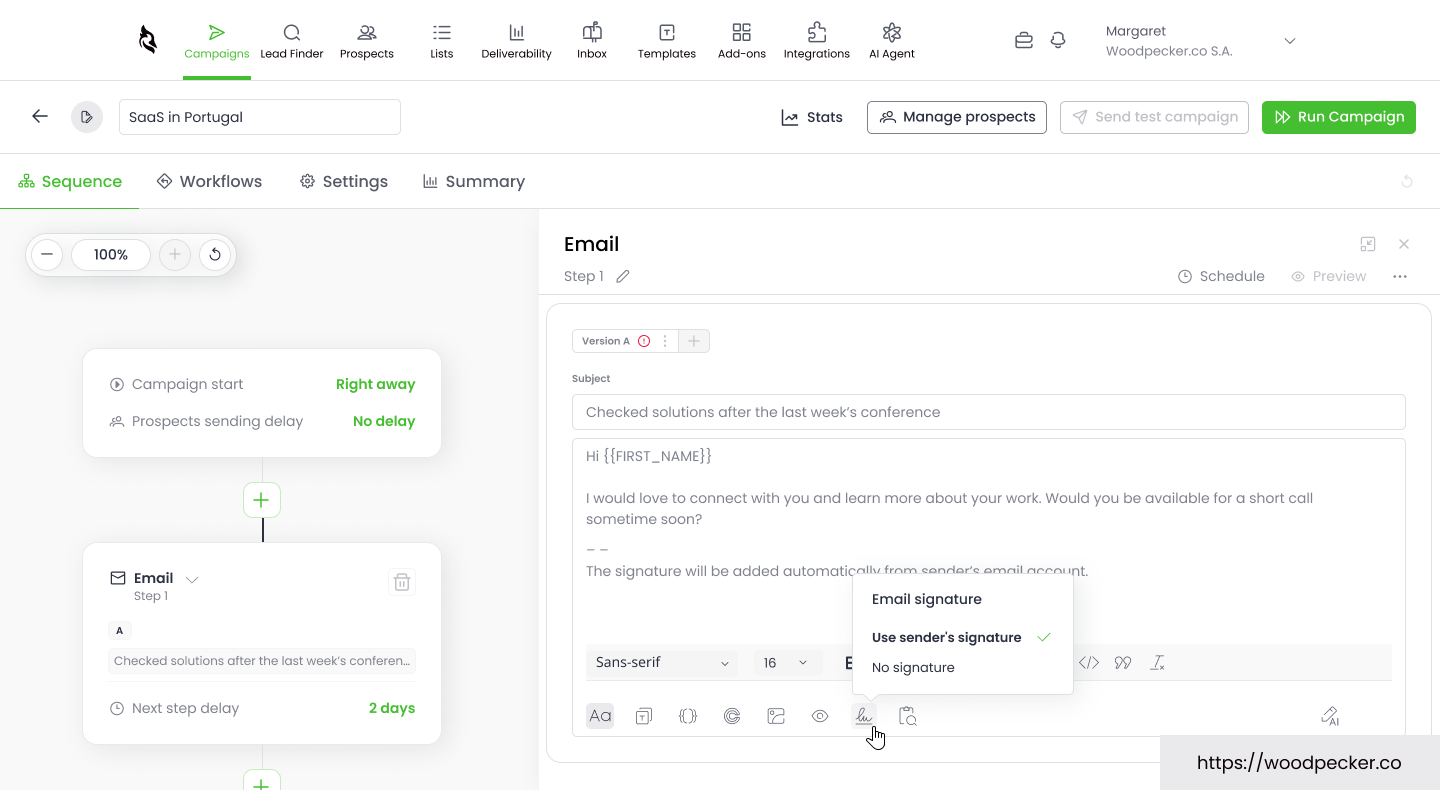
- Campaign built. "Create manually" opened a flow-based canvas with a 4-task readiness checklist (Add content, Add a sender, Add prospects…). We added two email steps with clearly-labeled DRAFT content and an A/B variant on one step. The per-step editor is where Woodpecker's personality shows: spin syntax, snippets, templates, a spam-words checker, per-email open tracking, Calendly and image insert, and AI text generation. The defaults were sane: our timezone (America/Chicago), 50 enrolls/day per mailbox, GDPR unsubscribe and one-click unsubscribe on, catch-all verification on "Balanced." The summary tab told the truth: no prospects, no sending accounts, 2 emails, 1 A/B test — "Send test campaign" disabled, status Draft. Exactly as it should be for a test.
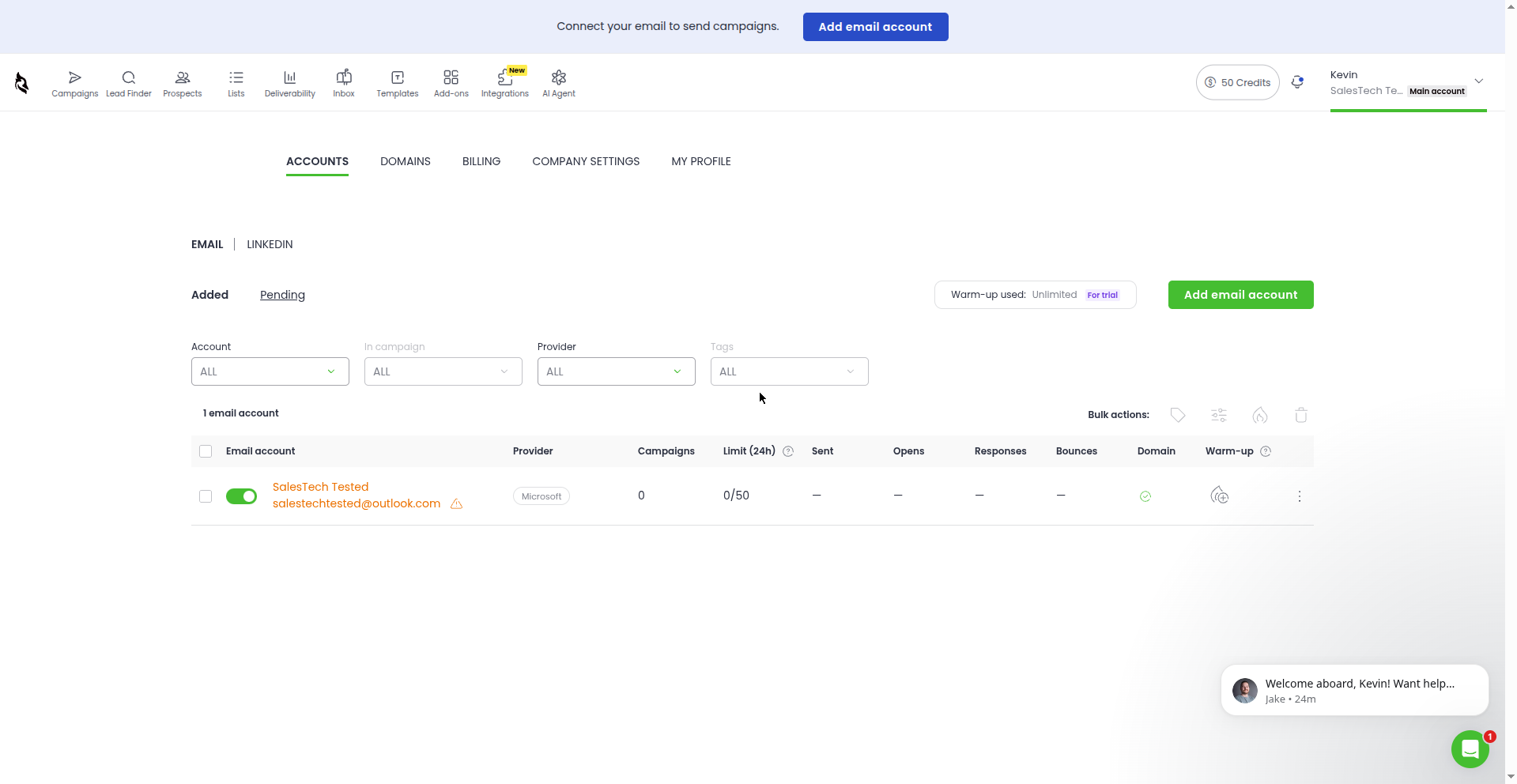
- Mailbox connection — the Microsoft detour. The connection page offers Google, Microsoft, manual SMTP/IMAP, bulk add, and a paid "we'll set it up for you" option. We picked Microsoft/Outlook and clicked our signed-in test account tile — and Microsoft itself demanded extra verification, asking us to confirm an alternate email before it would send a code. To be clear: this was Microsoft's new-account security, not Woodpecker's fault. We completed it with the account password instead, approved Woodpecker's OAuth consent (mail read/write/send, mailbox settings, profile), and the mailbox connected. Settings → Accounts showed it immediately: "SalesTech Tested — salestechtested@outlook.com — Microsoft — Limit (24h) 0/50." Total time lost to the detour: a few minutes.
- Warmup: the fine print. The warm-up add-on page says it's "always active by default and cannot be removed." But our freshly connected mailbox told a different story: the Warm-up tab showed an "Add warm-up" button — nothing enabled. We left it unadded on purpose, to document the default state. The Accounts page did show "Warm-up used: Unlimited / For trial." Takeaway: budget one click per mailbox, and don't take the marketing line as the default state.
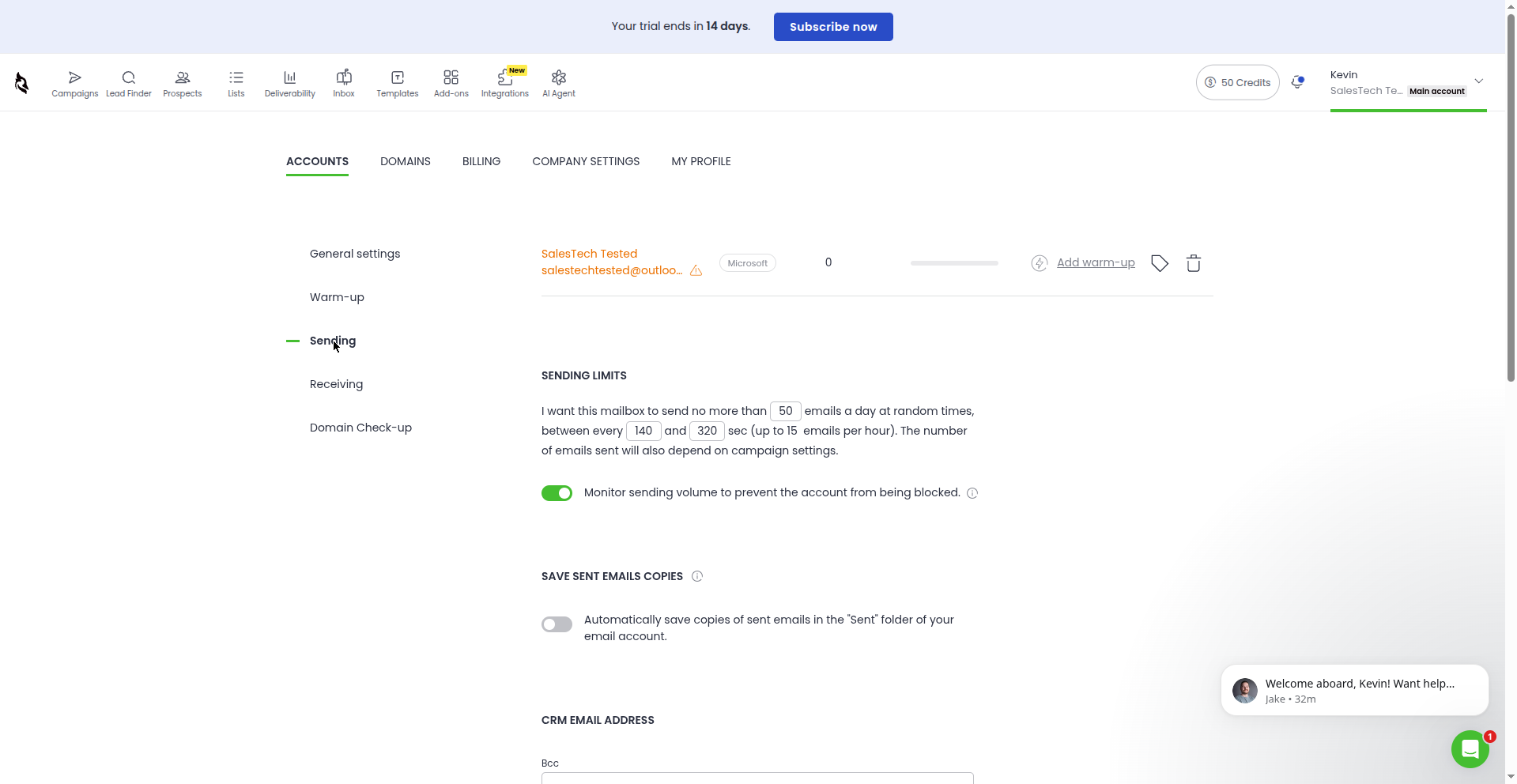
- Sending guardrails. The per-mailbox Sending tab is one of Woodpecker's better screens: max 50 emails/day at random times, 140–320 seconds between sends (up to 15/hour), a "monitor sending volume to prevent blocking" toggle (on by default), saved-sent-copies option, a CRM BCC field, and custom tracking domains. Conservative defaults, clearly labeled — the kind of thing that keeps a new sender out of trouble.
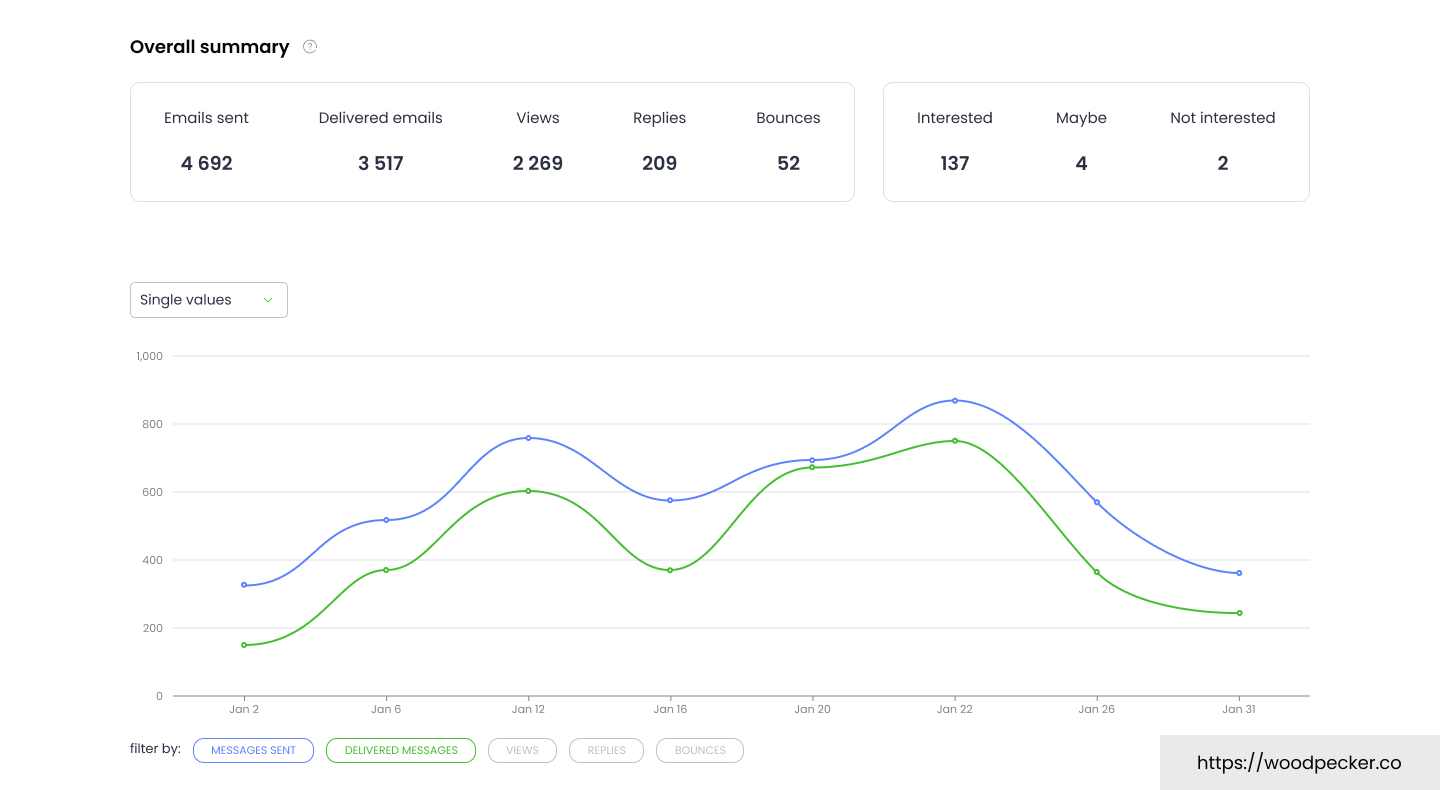
- Inbox and analytics. The unified inbox has EMAIL and LINKEDIN tabs and sensible buckets (Interested, Maybe later, Not interested, Responded, Bounced…). All zeros — Woodpecker's inbox surfaces campaign mail, and we'd sent none. The campaign list's stats columns (Progress, Delivered, Opened, Responded, positive rate) were likewise all zero, and the Deliverability Monitor hub needs sent data to draw anything. Breadth looks fine; verifiable in a trial: none of it.
- Integrations and pricing. The integrations directory lists Pipedrive, HubSpot, Google Sheets, Clay, Calendly, Zoho CRM, Lusha, Salesforce — and then every tile demands the $20/month "API & Integrations" add-on (free during the trial). API keys, webhooks, MCP server: same paywall. Pricing page: base plan, 500 contacted prospects at $35/month ($7.00 per 100). Trial freebies printed plainly: 8,000 emails/month, unlimited email verification including catch-all, 2 warm-ups, 100 Lead Finder credits, unlimited team members and email accounts. One oddity we screenshotted: the header badge said "50 Credits" while the plan page promised 100 free Lead Finder credits — a small discrepancy worth flagging to their support.
Frequently asked questions
Does Woodpecker have a free trial?
Yes — 14 days or 100 cold emails, whichever comes first. No credit card required. We verified this on September 26, 2026.
How much does Woodpecker cost?
The base plan is $35/month for 500 contacted prospects ($7.00 per 100). Integrations cost an extra $20/month via the "API & Integrations" add-on.
Does Woodpecker include email warmup?
Yes, but with a catch we documented: the add-on page says warmup is "always active by default," yet our connected mailbox required a manual "Add warm-up" click before anything was enabled.
Can I connect Gmail or Outlook to Woodpecker?
Yes — Google/Gmail and Microsoft/Outlook via OAuth, plus manual SMTP/IMAP. Our Outlook test mailbox connected fine after Microsoft's own verification step.
Does Woodpecker have AI writing features?
There's an AI text generator in the email editor, and unlike some competitors it doesn't ask for your own API key. We didn't test output quality.
Is Woodpecker better than Smartlead?
Different tools for different jobs — we tested both trials on the same day. Woodpecker is simpler and cheaper to start ($35/mo); Smartlead is built for high-volume, multi-mailbox outbound. Our head-to-head comparison breaks it down: Smartlead vs Woodpecker.
Affiliate disclosure: SalesTech Tested is reader-supported. When you buy through links on this page, we may earn a commission from the vendor at no extra cost to you. Our ratings are based on our own trial testing — commissions don't determine scores. Cost figures are indicative starting prices, not quotes; always confirm current pricing on the vendor's site.